Analyse first
Inspect the objective and project, identify the real work, choose the intelligence required and estimate the likely spend before execution starts.


Helm is a local intelligence-control, independent-verification and execution-continuity layer for coding agents. It keeps coherent engineering work together, changes intelligence only when the switch earns its cost, then uses an independent verifier to challenge risky work before the job is called done.
Why Helm exists
A repository inspection, a routine file change and a difficult architecture decision should not automatically consume the same level of intelligence. But switching models has a cost too: every handoff can force another model to reacquire project context, decisions and evidence.
Helm analyses the objective, preserves any stages or constraints you explicitly supplied, and groups tightly coupled work into coherent implementation phases. A capable model can stay with a phase when continuity is cheaper and safer; model changes are reserved for places where they add value, especially independent verification and evidence-driven repair.
Helm is not a model roulette wheel or a general chatbot. It is built for coding agents and technical agents that inspect, edit, test, debug, deploy and operate against real projects.
How it works
You do not need to write an orchestration spec to use an orchestration tool.
“Build me a website for my cookie shop. Use Astro, set it up in GitHub, choose the right hosting for online ordering, deploy it, and make sure everything works.”
Helm can turn a normal objective like that into the technical work required to complete it. If you do provide explicit stages, Helm preserves them instead of inventing a different structure.
Inspect the objective and project, identify the real work, choose the intelligence required and estimate the likely spend before execution starts.
Hold tightly coupled engineering together when a model switch would cost more context than it saves. One strong model can be the right route.
Hand risky work to an independent verifier that looks for counterexamples, then return only confirmed failures for targeted repair and re-verification.
Forecast the whole route against live provider capacity, warn about limited headroom, let you choose whether to proceed and preserve a resumable handoff if provider capacity is exhausted.
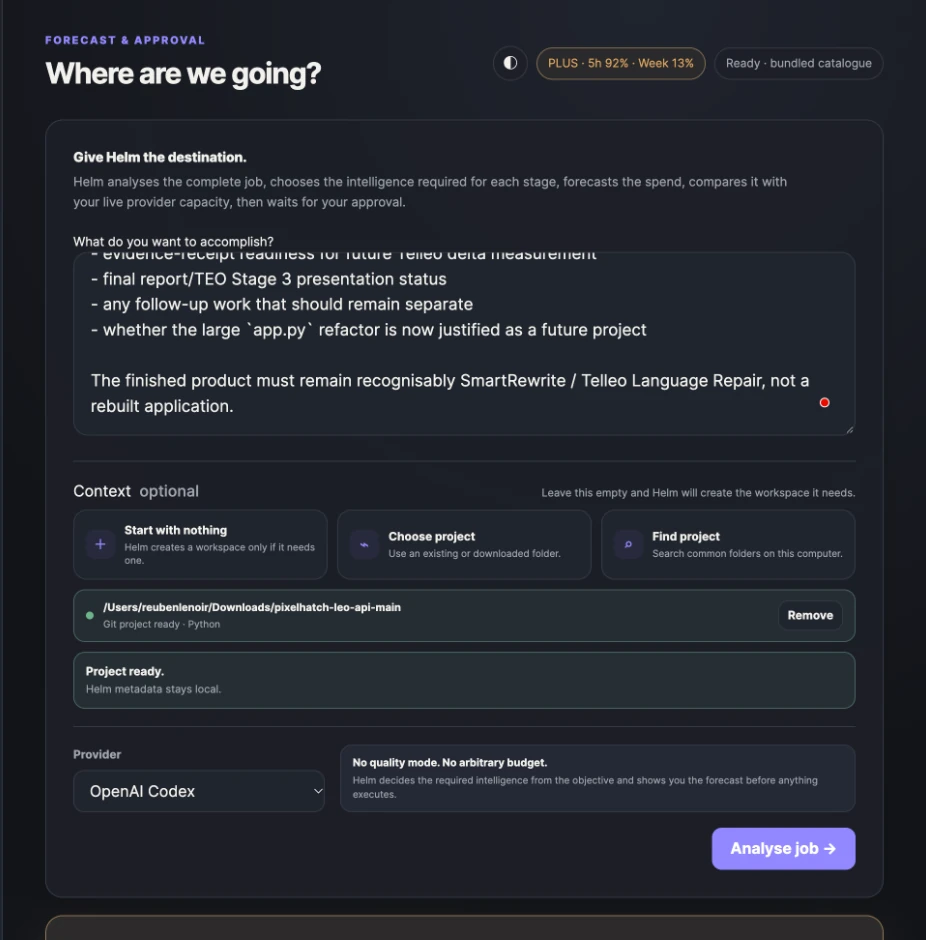
Analyse job
Analyse job is the planning gate. Helm reads the objective and project, groups coherent work, estimates model and switching cost, forecasts the coding-agent workload and compares the route with live provider capacity before execution.
Controlled benchmark
We ran the same SmartRewrite production objective from the same clean repository state two ways: fixed GPT-6.1-Sol High, and Helm's routed workflow. The fixed-model run was dramatically more provider-efficient. Helm's independent verifier, however, reproduced a stale-publication race in the fixed-model implementation and repaired it.
Read the benchmark that reshaped Helm →Measured non-cached tokens in the completed control run.
Passing tests after the fixed-model implementation.
Passing tests after routed implementation and adversarial verification.
Stale same-key publication race missed by the control and repaired by Helm.
What this proves — and what it doesn't. One benchmark does not prove Helm is universally cheaper, and provider allowance percentages are not token billing. It did show that independent verification can find a production defect a strong single-model run missed, while excessive model switching can erase cost savings. Helm's current routing responds to that evidence with fewer handoffs, coherent implementation phases, independent verification, targeted repair and capacity-aware planning.
Continuity failsafe
Helm watches provider capacity while work is running. At the warning threshold it tells you the margin is getting tight. At the protected reserve it stops before starting another expensive turn and leaves the project in a state that can be continued safely.
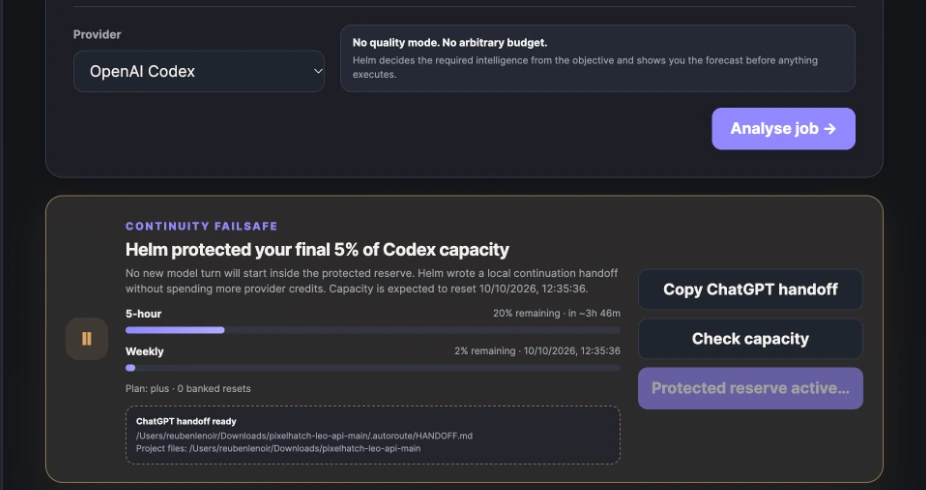
Helm warns that the limiting provider window is approaching the reserve.
Helm protects the final reserve and does not start another coding-agent turn.
The execution position, project path and local handoff are preserved. Helm generates a compact prompt for continuing the technical job in ChatGPT if you want to keep moving.
When coding-agent capacity returns, the saved Helm job can continue from the recorded position instead of repeating completed work.
New in v0.8.7
When your coding-agent allowance returns, Helm returns to the normal running experience — not a silent waiting screen. Stage progress, the current model route, elapsed time and new execution output appear as the job proceeds.
Reconnect without restarting. Another v0.8.7 window can replay missed local run events and follow live progress. Cross-window protection prevents duplicate execution if Continue is clicked twice.
✓ Previous work preserved
↳ Continuing Stage 4
↳ Route → GPT-6.1 Sol · medium
↳ Verifying selective repair behaviour
↳ Running regression tests…
● Waiting for next execution event…
Local first
Helm runs locally, keeps its run metadata local and points continuation back to the project you already have. It does not copy your repository into some second Helm workspace just to create a handoff.
Help improve the beta
Helm v0.8.7 includes optional beta diagnostics so we can learn whether routing, verification and continuity actually work on jobs we did not design ourselves.
Sharing is off by default. On first run, Helm asks whether you want to help. If you opt in, completed jobs can send a small sanitised receipt to Pixelhatch and ask one human question: did Helm complete the job correctly?
Helm version + OS, model route and reasoning levels, provider turns, available token/capacity measurements, forecast versus actual usage, verification passes, counterexamples, repairs, regression-test evidence and final quality-gate state.
Your objective, prompts, source code, repository contents, filenames, file paths, secrets or generated code.
After a completed run you can optionally answer Yes / Partly / No. Written notes are optional and are sent exactly as typed, so Helm warns you not to include private project information.
Settings lets you turn diagnostics on or off at any time and view the exact JSON payload Helm would send before you share anything.
Download + install
Helm v0.8.7 builds on adaptive routing, independent verification, live capacity forecasting, safe handoffs and privacy-first diagnostics. Continue now returns to a live view of the job, with stage progress, model routing, elapsed time and real output. Another v0.8.7 window can replay missed local events, and cross-window protection prevents duplicate resume attempts. Completed runs reopen with their progress intact. The beta remains unsigned, so macOS and Windows may ask you to approve it on first launch.
Why am I seeing this? Helm is currently a public beta and has not yet been signed and notarised with Apple, so macOS may ask you to approve it manually the first time. A normally signed release is planned.
Download macOS UniversalQuestions
No. Helm sits above the coding agent. Codex still performs the technical work; Helm plans, routes intelligence, watches capacity, verifies execution and preserves continuity.
No. A normal objective is enough. Helm can create its own internal execution structure. If you explicitly provide stages, milestones or constraints that matter, Helm preserves them instead of silently replacing them.
No. Helm is designed for coding agents and technical task-running agents working against projects, repositories, files, tests, deployments and infrastructure. It is not intended to route basic chat.
Sometimes Helm decides that is the right route. Helm explicitly values context continuity, so tightly coupled work can stay with one capable model. The separate verifier exists for a different reason: to challenge the implementation from outside the context that produced it and return concrete counterexamples for repair.
Nothing automatically unless you opt in. v0.8.7 can share a sanitised beta receipt containing version/platform, routing, usage and verification evidence. It does not automatically include project content. You can inspect the exact payload in Settings and turn sharing off at any time.
Helm keeps the paused run locally. After capacity recovers, Continue returns to the live stage and log view at its saved execution position instead of starting over.
Yes. Helm v0.8.7 is a free public beta while Pixelhatch tests phase-affinity routing, independent verification, forecasting, execution continuity and — for people who opt in — anonymised outcome evidence across a wider range of real coding-agent workloads.